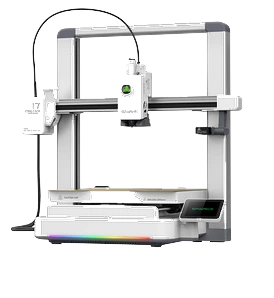
Creality 3D printers: choose a kit with your first object in mind
Choose a Creality printer around what you want to create. Compare Creality kits with Hermes and verify the exact machine model.
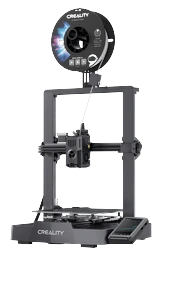
Choosing a Creality 3D printer is easier when you start with what you want to make. With The Genesys, the choice concerns a printer + Hermes kit: the catalogue helps you find a model and the cloud prepares the file for the supported machine. For a first experience, compare the Creality kits with Hermes around the uses that interest you.
Start with the object, not the abbreviations
Do you want to organise a desk, create decorations or make a personal gift? Browse the catalogue and open a few listings. Check which printers support the model, which colours are planned and whether a measured printing time is available. The photograph alone is not enough: the listing helps you understand the project before choosing hardware.
Each kit pairs a Creality printer with Hermes; the multicolour one is for those who want to print in several colours. Choosing the colour kit does not automatically make every model multicolour: check the product's variants and information. A clear choice comes from comparing what you want with an available project.
If you already own a Creality
Write down the full machine name, including its version. “I have an Ender” does not necessarily identify the same model as another Ender. Hermes has been tested over a network with Creality Hi, Ender-3 V3 KE and SPARKX i7; this does not mean automatic support for the whole brand. Check the Hermes listing and your model's requirements before buying.
The number of profiles available for cloud preparation is not the list of printers the hub can control. This distinction prevents a common misunderstanding: being able to prepare a file does not, by itself, prove the machine can connect. What matters is the full journey from choosing an object to printing it.
Prepare your first project
Filament is purchased separately. Check the listing, the intended material and the kit contents. Cloud file preparation removes the need for you to handle slicing manually, but the printer still needs preparation and attention according to its instructions. Choose an object you want to use: the result immediately has a place, and the first print becomes the start of your own collection.
Make the comparison easy to read
Current prices and availability of the kits, and of standalone Hermes, are on the kits page. Filament is excluded. Place your chosen projects alongside the options and compare listing information. Price is one part of the decision; the other is understanding which configuration fits the objects you would like to create.
If the first idea is a gift, think about where the machine will be used and how the person will start. If it is for you, choose a project with a use in your home already. You do not need to resolve every possibility of 3D printing before the first print: one meaningful choice is enough.
Your next step
Choose the combination for the first object you want to make.