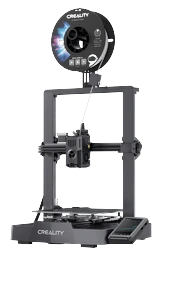
Selling 3D printers: show what people can make first
Present a 3D printer through an object and its printing journey. Compare Creality + Hermes kits and clarify separate filament needs.
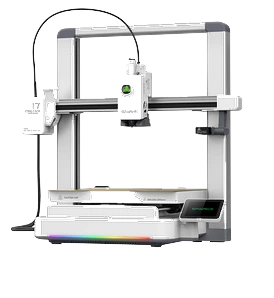
If you run a shop and want to introduce customers to 3D printing, start with objects and how they are used. Alongside presenting printers, you can consider another role: apply for your shop to become a Grid point, where Nodes bring parcels and customers collect orders.
Build a demonstration with a beginning and an end
Choose an available model compatible with the demonstration machine. Show its listing, explain the object's use and describe how the cloud prepares the file for that printer. Then show your own print and the result. If you edit a video, make accelerated footage clear: editing should not make a process that takes time appear instantaneous.
You do not need a wall of promises. Answer three questions: what can I make, how do I start, and what must I buy beyond the kit? Filament is excluded and chosen separately. Printing times and colour combinations depend on the model: use listing data instead of treating one example as a universal measure.
Explain who the offer is for
Someone buying a first printer can compare a complete kit. Someone who already owns a machine needs to check the model before considering Hermes. A brand name alone does not establish support. In a display, keep this distinction visible so nobody buys the hub assuming it automatically supports every printer.
The ability to use a kit is different from the existence of a reseller programme. If you want to sell hardware as a business, clarify prices, terms and responsibilities with The Genesys before offering agreements or margins. This guide describes presenting the product, not a commercial proposal for resellers.
What to leave out of the display
In the Grid journey, the shop receives parcels from Nodes and handles customer collection. Do not describe a retailer as a partner without a verified agreement. Use your own photographs and videos, objects authorised for promotional use and current purchasing information. The best demonstration leaves visitors with a clear choice: which object would I like to create first?
Show two journeys clearly
The printer + Hermes kits, and standalone Hermes for anyone who already owns a supported machine, are on the kits page with current prices and availability. Filament is separate. Check current prices and availability before creating demonstration material.
Explain what happens: the model is selected in the catalogue, the cloud prepares the file and Hermes receives it encrypted to manage printing. A demonstration can show each step through your own images and an object chosen for a clear use. Customers understand how the machine could fit their day.
Your next step
Welcome customers collecting orders made by the network. Start with your Grid application.